
Product
Broadcom Symantec IGA 15
Objective
This document outlines the procedure for backing up the IGA 15 configurations, user store and provisioning store data
Details
A proper backup is essential before upgrades, restarts, or configuration changes, as it allows for a rapid system restoration in the event of a failure. The igactl command is provided in IGA 15 for generating backups for configurations and data. This command should be run as an igx user.
Understanding the Backup Command
IGA Xpress provides the igactl backup command to take backups of critical system components.
These components include:
- conf for configuration files
- impd for provisioning data
- ustore for user identity store
Command Syntax
igactl backup -m “MESSAGE” [-l LOCATION] [-onl] {conf, impd, ustore}
Parameter Explanation
| Parameter | Mandatory/Optional | Description | Notes |
|---|---|---|---|
| -m | Mandatory | Provides a descriptive name for the backup. | Always use meaningful names. |
| Components | Mandatory | Specifies the components to back up: conf, impd, ustore. | Select one or more. |
| -onl | Optional | Enables online backup without stopping services. | Only works for impd and ustore. |
| -l LOCATION | Optional | Defines a custom backup location. | Default location is /opt/brcm/iga/backup. |
- Backup Configurations
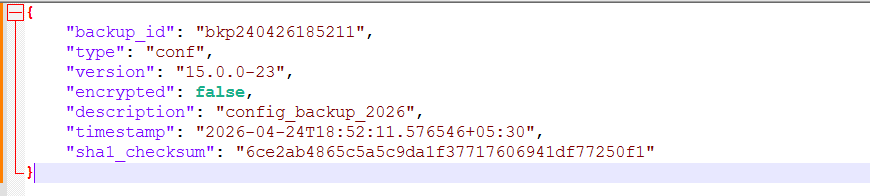
Command: igactl backup -m “config_backup_2026” conf

A backup file is created in default location /opt/brcm/iga/backup

Verify the contents of the backup tar file
Copy the .tar file to windows using WinSCP tool to a backup folder
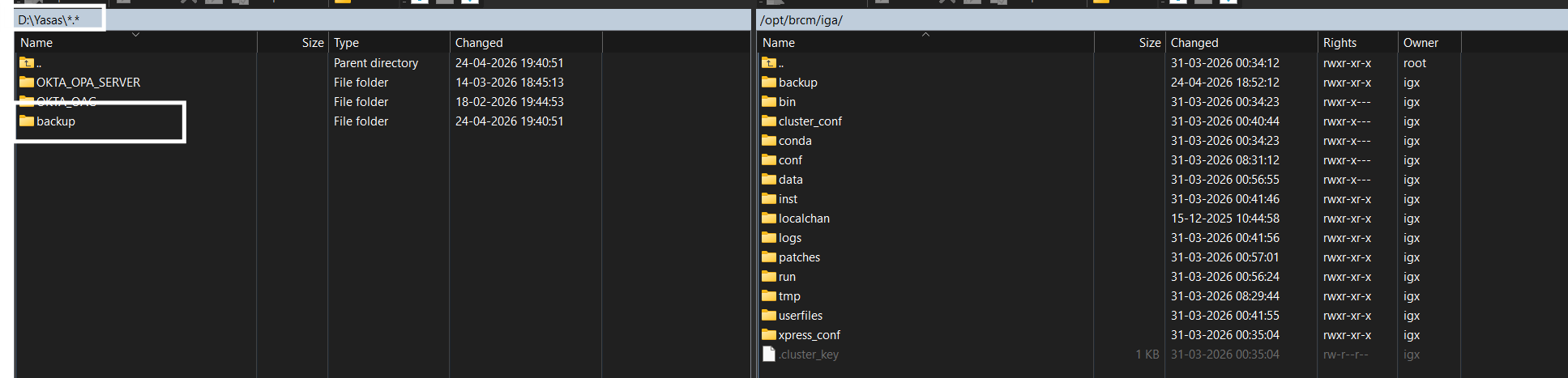
On Windows, in the backup folder → Unzip the backup file

The file info contains details about the command parameters
- Backup Provisioning Data
Command: igactl backup -m “impd_backup_2026” impd


- Backup User Store
Command: igactl backup -m ” ustore _backup_2026″ ustore


Reference
Author
Harish Upadhyay